
Trade Gothic Next Complete Family Free Download
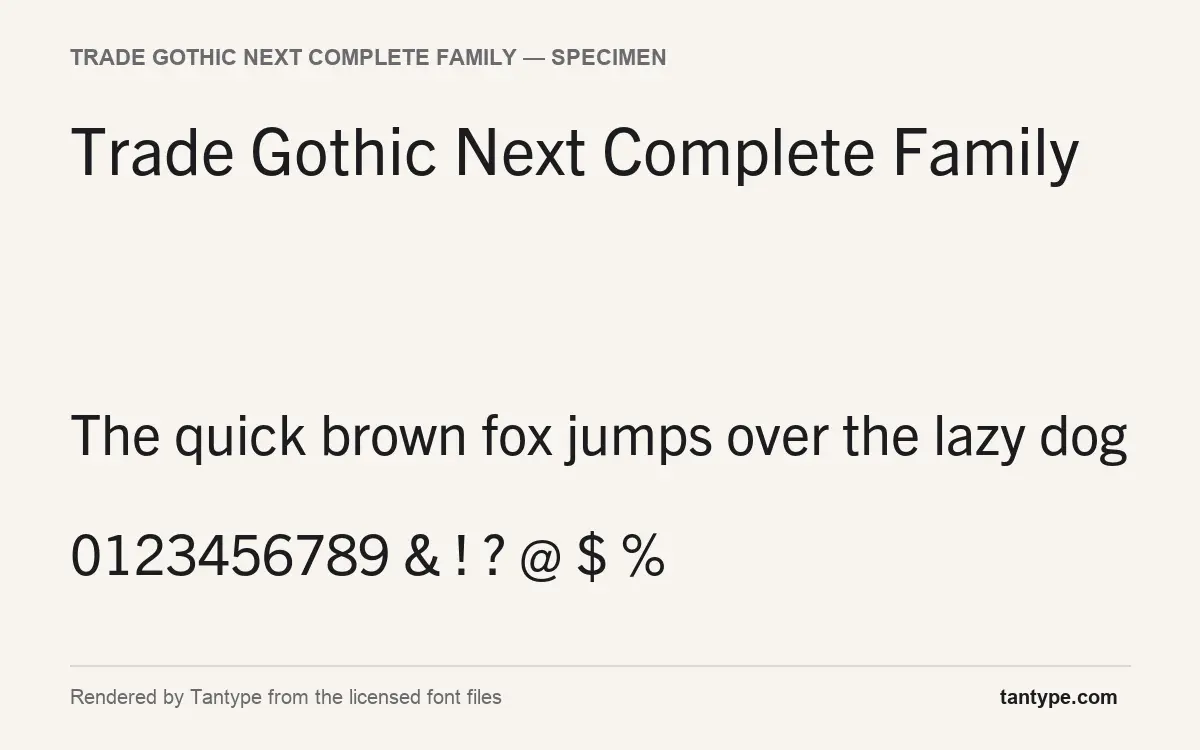
If you are searching for a Trade Gothic Next Complete Family free download, the honest answer is that no official free version exists: Trade Gothic Next is a commercial Linotype typeface, owned today by Monotype, and the complete family is sold on MyFonts. There are two legitimate ways to use it without buying the whole family outright, covered below.
Trade Gothic Next Complete Family free download: what’s actually available
Linotype and Monotype do not publish a free, demo or personal-use edition of Trade Gothic Next, and we found no official free file on MyFonts or Monotype’s sites. What does exist:
- Adobe Fonts. Trade Gothic Next is listed on Adobe Fonts, which says its library is cleared for personal and commercial use. The full library comes with paid Creative Cloud plans; a free Adobe account only gets a smaller basic library. Mobile apps and self-hosting still need a licence from Monotype.
- Monotype Fonts trial. Monotype’s subscription service offers a 30-day trial for mockups and prototypes; commercial use needs a paid plan. The page does not list individual families, so confirm Trade Gothic Next is included first.
To own a licence, MyFonts sells the Trade Gothic Next Complete Family, all 17 styles, for $756 USD, with individual styles from $97.99 USD at the time of writing. You get the OpenType files plus a Desktop licence for the number of users you choose; web, app and e-book use are licensed separately.
Get Trade Gothic Next Complete Family — official listing
Free download: Trade Gothic Next Complete Family (Regular), personal use One style for personal use, shared with the designer’s permission. Commercial use needs a licence.
Trade Gothic Next Complete Family specimen and verified specs
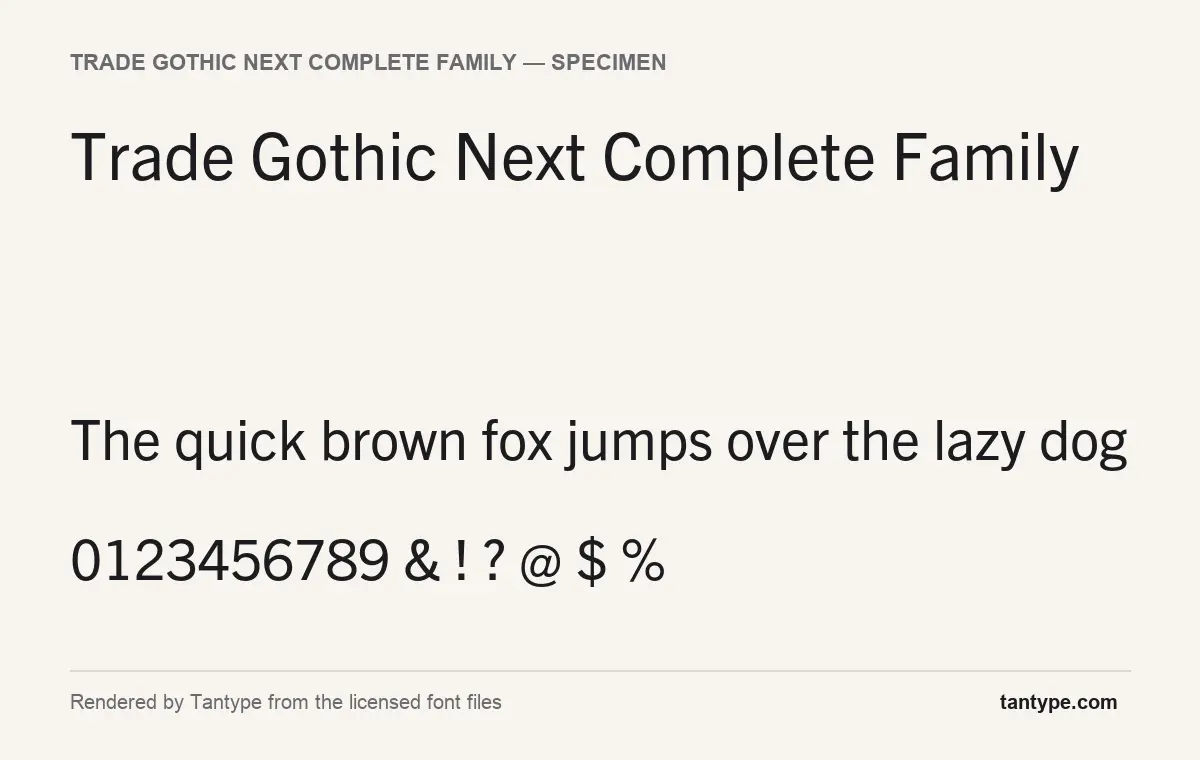
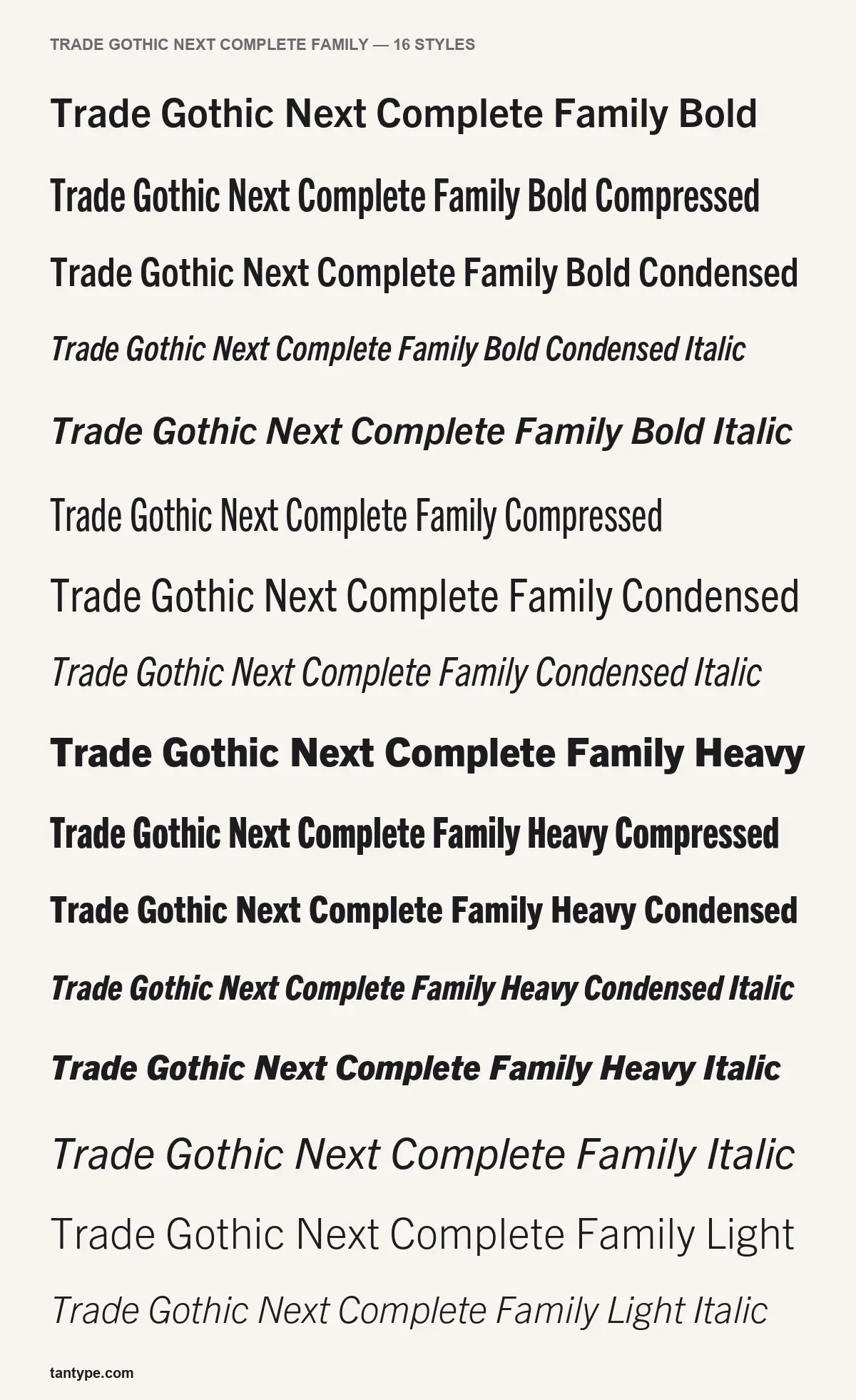
- Styles: 17 (Bold, Bold Compressed, Bold Condensed, Bold Condensed Italic, Bold Italic, Compressed, Condensed, Condensed Italic, …)
- File formats: OTF
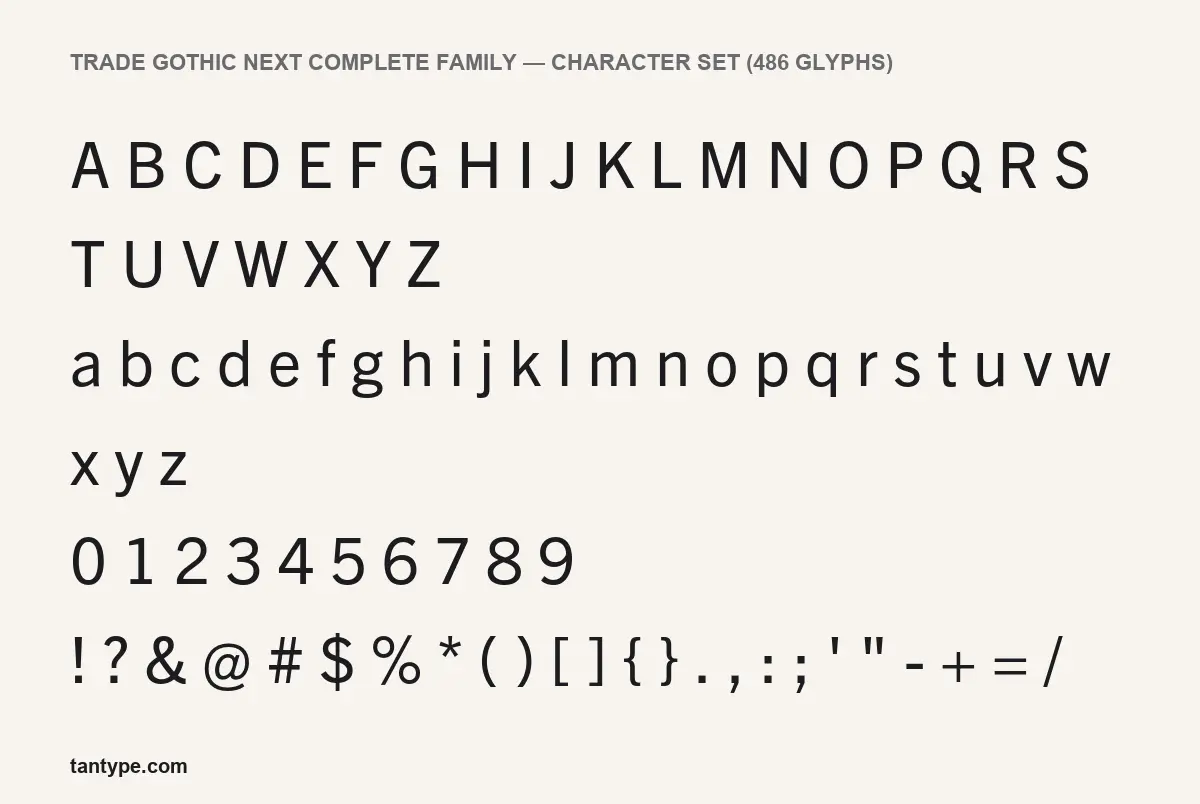
- Glyphs: 486
- Language support: Basic Latin (English), Western European, Central & Eastern European
- OpenType features: standard ligatures, discretionary ligatures, kerning, fractions
- PUA-encoded extras: 61 glyphs (usable in Canva and Cricut)
- Designer: Linotype Design Studio
Checked by Tantype from the licensed font files.
Design and character
Trade Gothic Next is Linotype’s 2008 revision of Trade Gothic, the sans serif Jackson Burke began releasing at Mergenthaler Linotype in 1948 and kept expanding for the next 12 years. MyFonts says that piecemeal development left “many inconsistencies”, so Tom Grace redrew the family under Linotype type director Akira Kobayashi, reworking terminals, symbols, spacing and kerning and adding compressed widths and heavy weights.
In the specimens on this page, rendered from the licensed files, the Regular is a plain American gothic with slightly narrow proportions. The a is two-storey, the g is single-storey with an open tail, the t has an angled cut at the top, and the G has a flat bar and no spur. Round letters are upright ovals rather than circles, contrast is low and stroke endings are cut flat. The capital I and lowercase l are near-identical plain strokes, worth remembering for codes or signage.
The Compressed styles are far narrower than the normal width, and the Heavy weights are poster-dense. The listing text calls the italics true italics; in our renders they keep the upright shapes, including the two-storey a, so they read as a calm sloped style rather than a cursive one.
What’s in the Trade Gothic Next Complete Family package
Our licensed copy (Trade Gothic Next LT Pro, version 2.00) matches the 17 styles MyFonts lists:
- Normal width (8): Light, Regular, Bold and Heavy, each with an italic
- Condensed (6): Condensed, Bold Condensed and Heavy Condensed, each with an italic
- Compressed (3): Compressed, Bold Compressed and Heavy Compressed, with no italics
- Format: OpenType (OTF); not a variable font
- Glyphs: 486 in the Regular, the same figure MyFonts gives in its tech specs
There are no mockups, SVG files or other extras. Trade Gothic Next Soft Rounded and Trade Gothic Next Rust are sold separately.
Language support and OpenType features
The character set covers Basic Latin, Western European and Central and Eastern European languages. MyFonts’ tech specs name over 100 Latin-script languages, including Polish, Czech, Turkish and the Baltic languages, but no Greek or Cyrillic.
The OpenType features in our files:
- Standard ligatures: joined pairs such as fi and fl, on by default in most apps.
- Discretionary ligatures: optional extras you switch on in InDesign or Illustrator.
- Kerning: spacing for awkward letter pairs, applied by almost every app, Canva and Cricut included.
- Fractions: turns 1/2 into a proper fraction in InDesign, Illustrator or Affinity.
MyFonts’ tech specs also list superscript, subscript and ordinal features. The files also hold 61 glyphs in the Private Use Area (PUA). You cannot type these, but you can copy them from Character Map (Windows) or the Character Viewer (Mac) and paste them into Canva or Cricut Design Space while the text is set in Trade Gothic Next.
Best uses and font pairings
The Trade Gothic Next font suits jobs where one family must cover a whole hierarchy: annual reports, editorial layouts, signage and infographics. The Condensed and Compressed widths fit long headlines and table columns into narrow spaces, and MyFonts pitches the heavy weights for “even more powerful headlines”. It will not supply a brand’s personality on its own.
- Source Serif 4 or Merriweather (free on Google Fonts) for body text under Trade Gothic Next headlines.
- Georgia for long reading text in documents and emails.
Licensing: personal vs commercial use
There is no separate personal-use licence. On MyFonts, the Desktop licence, priced by number of users, covers designs such as logos, posters, packaging, social posts and PDFs. It does not cover websites, apps, e-books, digital ads or email, and it forbids sharing the files or installing them on a server; those uses have their own licences, and organisations can buy an annual Company Desktop licence. MyFonts advises reading the foundry’s EULA for logo and trademark restrictions, and uploading the files to a cloud tool such as Canva may count as sharing. A file from an unofficial Trade Gothic Next Complete Family free download site carries no licence at all. This is a general summary, not legal advice.
How to install Trade Gothic Next
Windows: after you download Trade Gothic Next from MyFonts, unzip it, select the OTF files, right-click and choose Install (or Install for all users). Restart any open apps.
Mac: double-click each file and click Install in Font Book. With Adobe Fonts, activate the family on the website instead.
Free alternatives to Trade Gothic Next
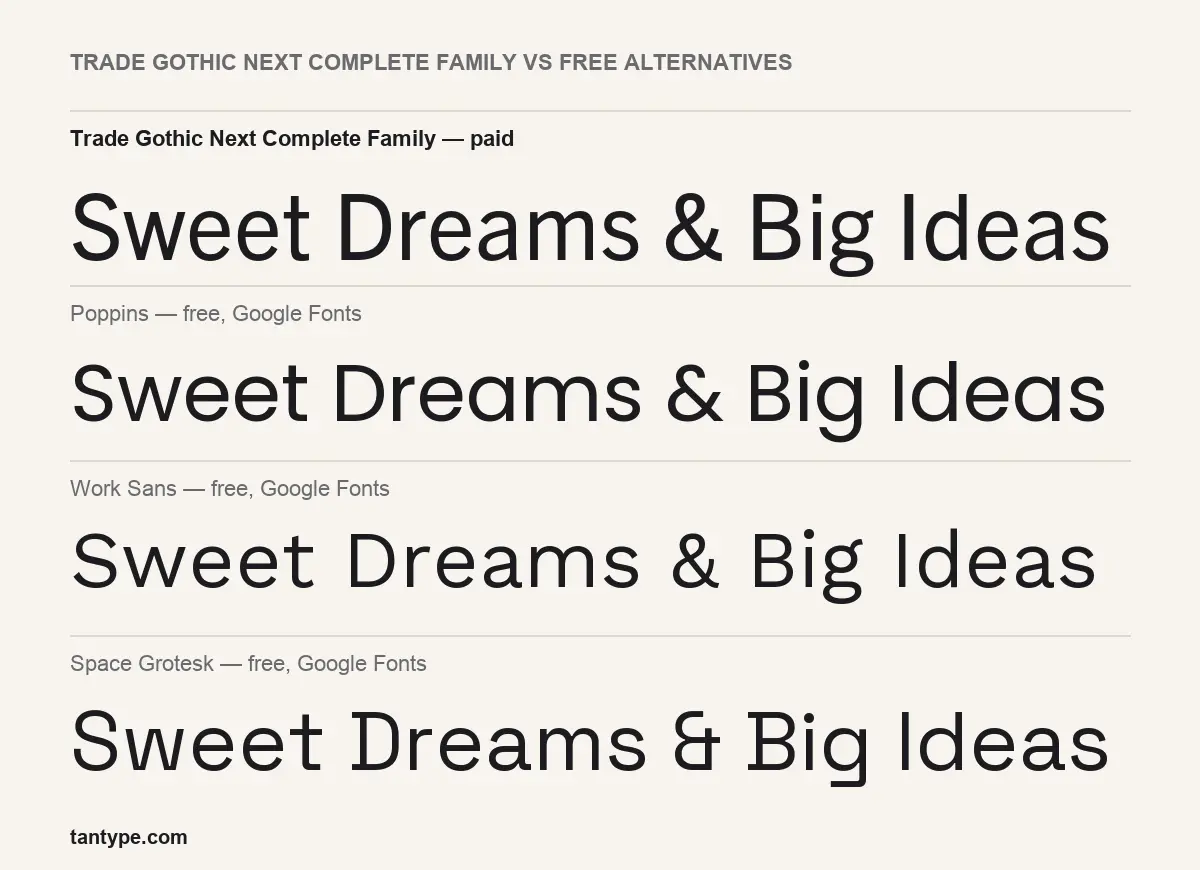
None of the three free Google Fonts in our comparison is a close match, mainly because none has Trade Gothic Next’s condensed and compressed widths.
- Poppins is geometric, with near-circular round letters and a wider, friendlier set.
- Work Sans shares the no-nonsense grotesque tone but is wider and looser; its weight range makes it the best free body-copy substitute.
- Space Grotesk has quirky details, such as its unusual ampersand, and reads as tech-flavoured.
If narrow width is what you need, a free condensed family such as Roboto Condensed is a better stand-in.
For a more contemporary British take on the grotesque, look at Apercu, Colophon Foundry’s 2010 sans now sold through MyFonts.
If you like Trade Gothic’s American grotesque, compare it with its German cousin Akzidenz-Grotesk, the favourite of Swiss-style designers.
For the Swiss counterpart to Trade Gothic’s American grotesque, see our guide to Univers, Adrian Frutiger’s 1957 family.
Trade Gothic Next Complete Family FAQ
Is there a legal Trade Gothic Next Complete Family free download?
No. It is a commercial Linotype family, and sites offering the full set for free are not authorised by Monotype. Use Adobe Fonts, a Monotype Fonts trial for mockups, or buy on MyFonts.
Can I use Trade Gothic Next commercially?
Yes, with a licence: a MyFonts Desktop licence for print and image work, separate licences for web, apps and e-books, or Adobe Fonts.
Who designed Trade Gothic Next?
Jackson Burke drew Trade Gothic from 1948; Tom Grace and Akira Kobayashi revised it. The font files credit the Linotype Design Studio.
Is Trade Gothic Next the same as Trade Gothic?
No. It is a revision with redrawn details, new spacing and kerning, and added compressed and heavy styles. Adobe community staff note it is not an exact match for older Trade Gothic fonts, so existing documents may reflow.
Does Trade Gothic Next work in Canva and Cricut?
Cricut Design Space uses fonts installed on your computer. Canva needs an upload, which a Desktop licence may not permit.

Tantype writes independent reviews of typefaces: what each font does well, where it falls short, what it suits, and where it is sold.