
La Luxes Font Free Download
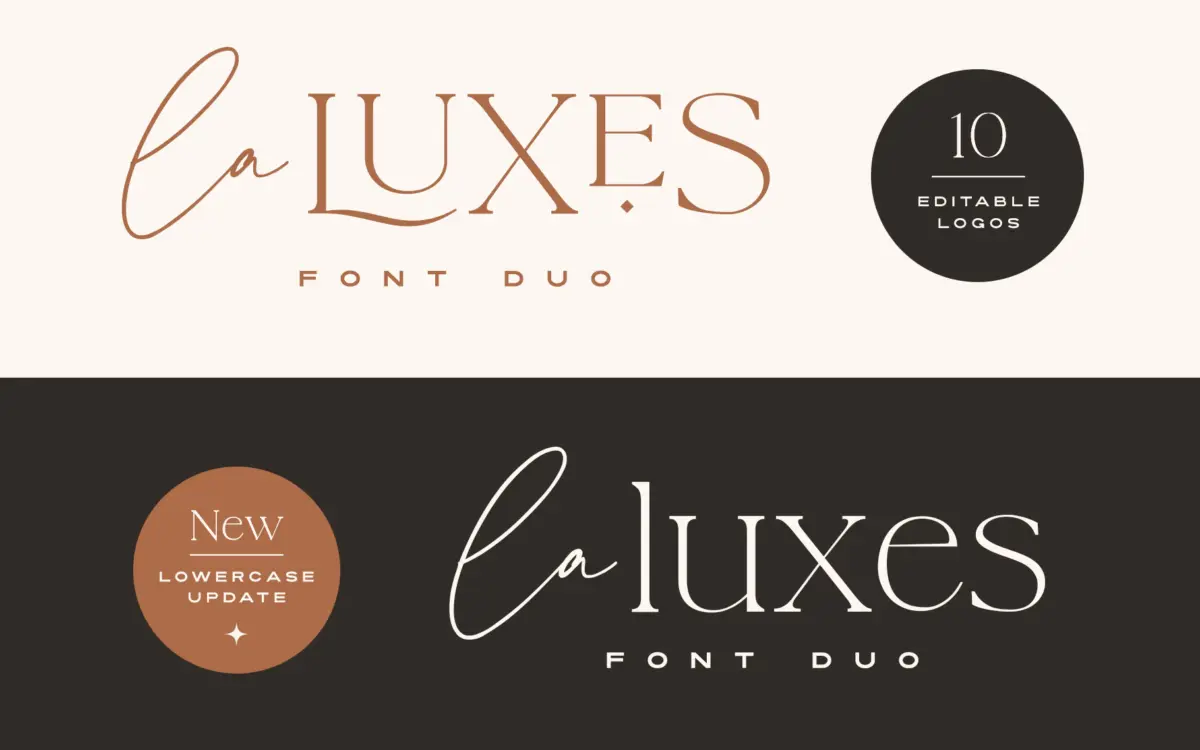
People looking for a La Luxes free download should know up front that La Luxes is a paid font duo from Set Sail Studios, and we found no official free or demo version of it. The duo, a high-contrast serif plus a hand-drawn script with ten logo templates, costs $29 for a Standard License from the designer’s shop and $29 for a desktop licence on Creative Market.
La Luxes free download: what you can get officially
The La Luxes page on the Set Sail Studios shop sells licences only, and the font is not in the foundry’s free-fonts section. The Creative Market and MyFonts listings show prices but no demo file. What the foundry does offer for free is its online Typetester, where you can try your own text in La Luxes in the browser. It does not give you a font to install.
A full La Luxes file offered for free elsewhere is not from the designer and comes with no licence. According to the official listings, buying the duo gets you:
- La Luxes Script, with 30 ligatures, and La Luxes Serif, with 38 ligatures and 11 special characters.
- Lowercase for the serif, which started as an all-caps font. Existing buyers can re-download the update free.
- Ten editable vector logo templates for Photoshop or Illustrator.
- Support for 17 languages.
If you need more weights, Set Sail also sells a $79 bundle that adds La Luxes Serif Pro, a 12-style family with six weights and italics. MyFonts lists the expanded 13-style family at $69.
Get La Luxes — official listing
Free download: La Luxes (Serif), personal use One style for personal use, shared with the designer’s permission. Commercial use needs a licence.
La Luxes specimen and verified specs
- Styles: 2 (Script, Serif)
- File formats: OTF
- Glyphs: 333
- Language support: Basic Latin (English), Western European
- OpenType features: standard ligatures, stylistic alternates, kerning
- PUA-encoded extras: 1 glyphs (usable in Canva and Cricut)
- Designer: Set Sail Studios
- Case: All caps in the version 1.00 files we checked (the listing says lowercase was added in a later update)
Checked by Tantype from the licensed font files.
Design and character
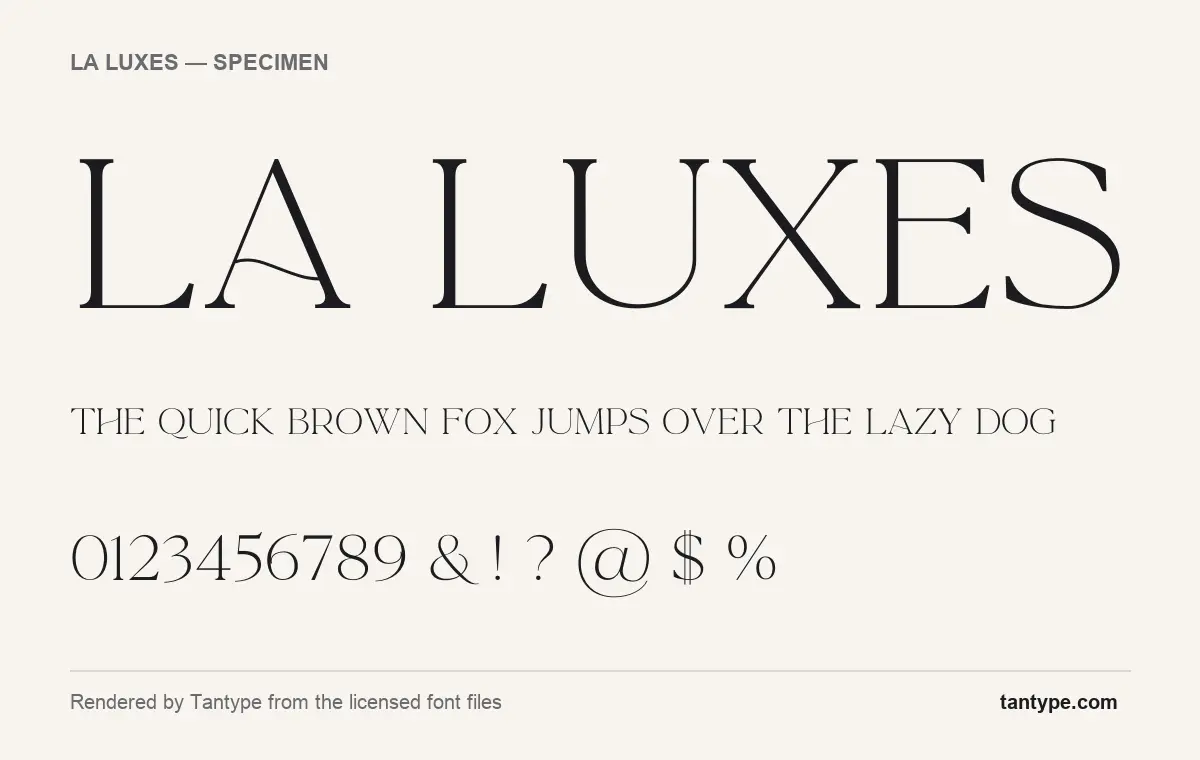
The La Luxes font specimen above, rendered from the licensed font files, shows the serif. It has strong contrast between thick stems and hairline strokes, sharp thin serifs, and wide, round capitals. C, G, O and Q are close to full circles, while E, L and F are narrow.
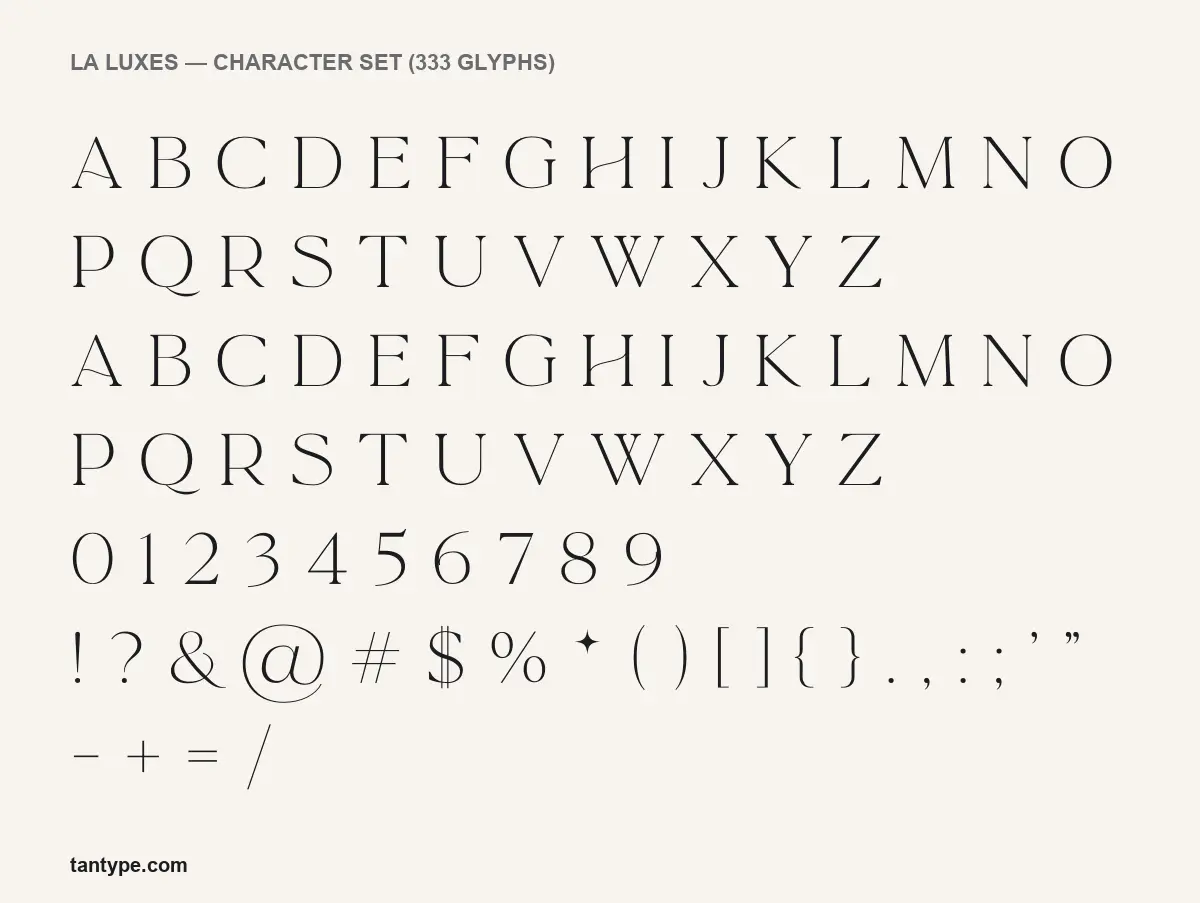
A few letters carry the personality. The A has a wavy, S-shaped crossbar instead of a straight one, and the H has a matching curved bar. The Q ends in a long tail that sweeps under the next letter. The @ is oversized with a looping outer stroke, and the dollar sign has two thin vertical bars. The asterisk key gives a four-pointed star, which the listing describes as a deliberate special character.
One thing to know about the files we rendered from: they are version 1.00, and in them the lowercase keys produce capitals, so everything sets in caps. The listing says lowercase was added to the serif in a later update, free to existing buyers.
The script is the second half of the duo. The listing calls it a hand-drawn script with upper and lowercase letters, numerals and 30 ligatures. Our specimen images show only the serif, so we are not describing the script’s letter shapes here.
What’s in the La Luxes package
- Fonts: two, La Luxes Script and La Luxes Serif. Our licensed files are OTF; the listing says OTF and TTF, with web fonts for web licences.
- Glyphs: 333 in the serif, covering capitals, figures, punctuation, accented letters, ligatures and alternates.
- Serif alternates, per the listing: raised small-cap versions of A, E, O, U and C, long-tailed L, K and R, plus stylised “AND” and “CO” signs.
- Logo templates: ten editable vector files for Photoshop or Illustrator. The foundry notes they need the desktop apps.
- Version: 1.00 in our files, credited to Set Sail Studios. MyFonts names the designer as Sam Parrett, who runs the foundry.
Language support and OpenType features
Our files cover Basic Latin and Western European characters. The listing names 17 languages, including French, German, Spanish, Polish, Hungarian and Turkish.
The serif has three OpenType features:
- Kerning adjusts the space between specific letter pairs and works automatically in almost every app.
- Standard ligatures swap certain letter pairs for a joined design. They switch on by default in Adobe apps, Affinity apps and web browsers.
- Stylistic alternates give the small caps and long tails described above. Turn them on in the OpenType or Glyphs panel in Illustrator, InDesign or Photoshop, or the Typography panel in Affinity. The listing says the AND and CO signs are only reachable through a glyphs panel.
The font maps one character to Unicode’s Private Use Area. A PUA character can be copied from a character map (Character Map on Windows, Character Viewer on Mac) and pasted into Canva or Cricut Design Space, which have no OpenType controls. With only one such character, though, almost all of the ligatures and alternates still need an OpenType-capable app.
Best uses and font pairings
Set Sail aims La Luxes at “high end branding, logo designs, product packaging & invitation designs”. The serif suits a short wordmark for a salon, jewellery brand or boutique, a perfume or skincare label, wedding stationery headings and magazine-style titles. Keep it large: the hairlines are very thin, and they will fade at small print sizes and on low-resolution screens.
For body text beside it, choose something calm, such as Lato or EB Garamond.
Licensing: personal vs commercial use
In replies on its product page, Set Sail Studios says all its licences are perpetual one-time fees and that the Standard License covers personal and commercial use, including logos and flattened images. A Web license is needed when the font runs as live, selectable text on a website, and App, ePub and Editable Template licences cover those uses. Creative Market and MyFonts sell their own licence types, so read the terms on the store you buy from. This is a summary, not legal advice.
How to install La Luxes
Once you download La Luxes from the official shop:
Windows: unzip the file, right-click the font files and choose Install. Restart Photoshop or Illustrator before opening the templates.
Mac: double-click each font file and click Install Font in Font Book. Install one format only, OTF or TTF.
Free alternatives to La Luxes
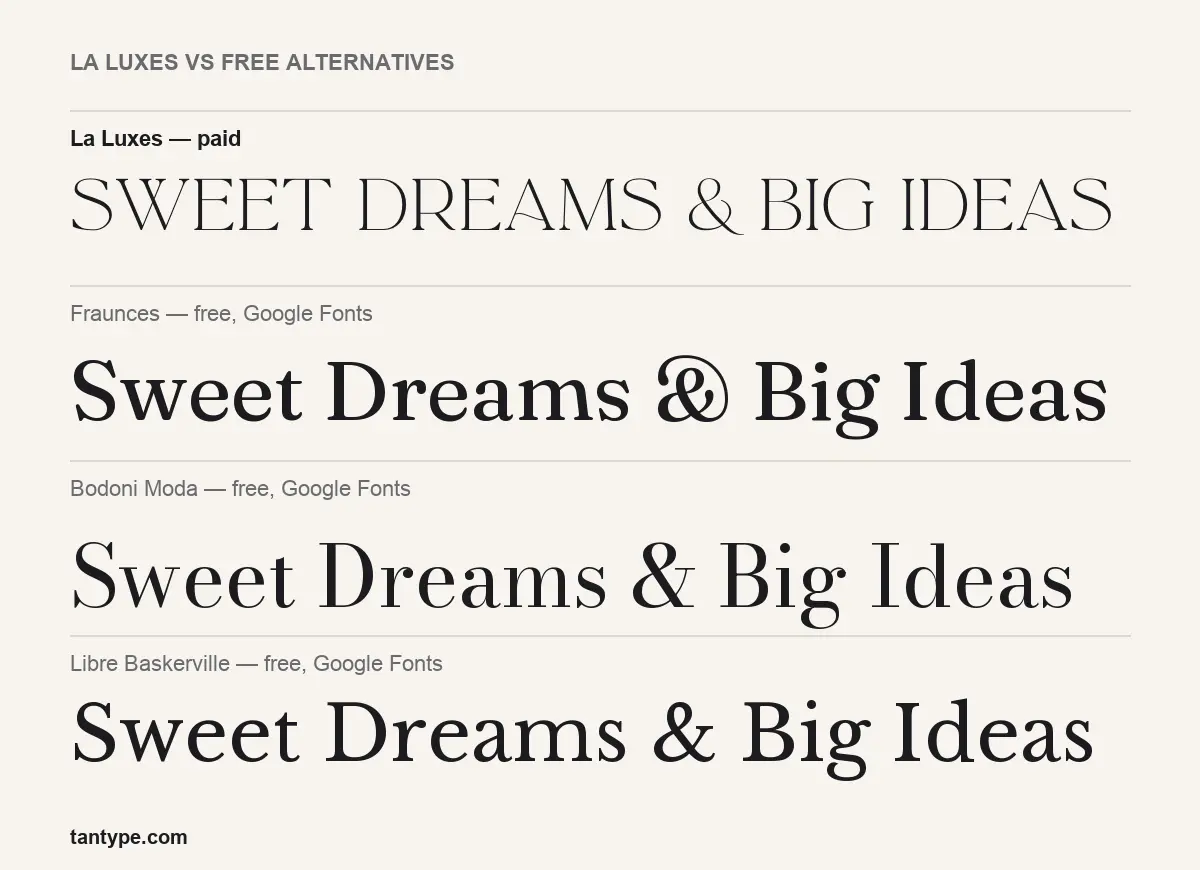
If you were hoping for a La Luxes free download, these three free Google Fonts share its high-contrast, classical feel, but none has its wavy crossbars, long tails or matching script.
- Fraunces is a soft, chunky display serif with variable weight and a quirky “wonky” option. It is much heavier and warmer than La Luxes, with rounded details instead of fine hairlines.
- Bodoni Moda is the closest in spirit: a Didone with strong contrast and thin flat serifs, built with optical sizes for both headlines and text. Its capitals are narrower and more upright than La Luxes’ round letters.
- Libre Baskerville is a sturdy transitional serif designed for reading on screens. It has less contrast and is the practical choice for body copy, not a luxury wordmark.
La Luxes FAQ
Is La Luxes free?
No. It is a commercial font duo, and any La Luxes free download outside the official shops is unlicensed. We found no official free or demo version; the Set Sail Typetester lets you preview it online.
Can I use La Luxes for a logo?
Yes. Set Sail Studios says the $29 Standard License covers commercial use, including logos.
Does La Luxes have lowercase?
The serif started as all caps. The listing says lowercase was added in an update; the older files we rendered set in capitals only.
Does La Luxes work in Canva and Cricut?
You can upload the fonts and type with them, but the ligatures and alternates need an OpenType-aware app such as Illustrator or Affinity Designer.
Who designed La Luxes?
Sam Parrett of Set Sail Studios. Creative Market lists the product as created on 9 December 2019.

Tantype writes independent reviews of typefaces: what each font does well, where it falls short, what it suits, and where it is sold.