
Cooper Black Font Free Download
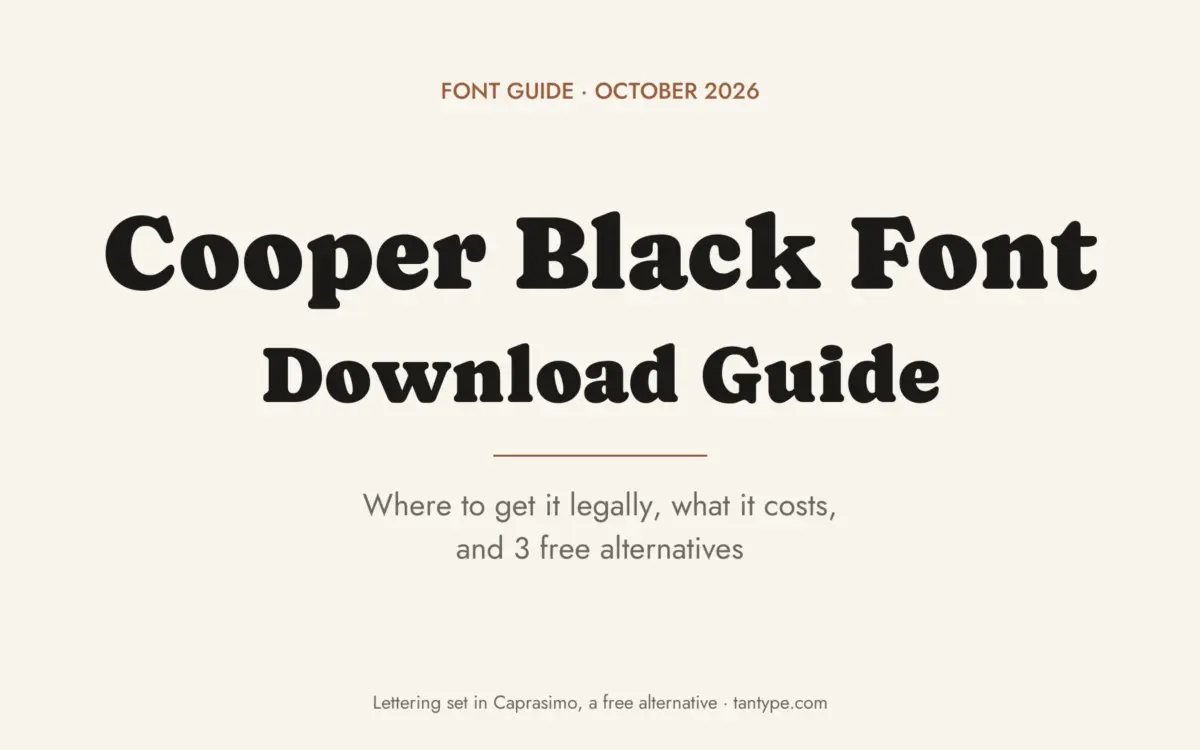
There is no official Cooper Black font free download from the foundries that sell it: Linotype, URW, Bitstream and Adobe all license their versions as commercial fonts. Some legal routes cost nothing extra, though. Microsoft Office already includes Cooper Black, and a free open-source revival called Cooper* has Black and Black Italic weights under the SIL Open Font License. To buy a licence of your own, MyFonts sells Linotype’s Cooper Black from $25.99 per style, or $51.99 for the regular and italic, as of October 2026.
Cooper Black font free download: your legal options
- Microsoft Office: Microsoft’s Cooper Black page says the typeface “is available within Office applications” and gives its download as “N/A – Exclusively included with Microsoft products and services where applicable”. It is a single style, Coopbl.ttf, built from URW data, with no italic. Microsoft’s cloud fonts page lists it among the fonts Microsoft 365 subscribers get on demand, in Office for Windows and Mac.
- Adobe Fonts: Adobe’s Cooper Black (sold as Cooper Std Black and Black Italic) is in the Adobe Fonts library. If your Creative Cloud plan includes it, you can activate it at no extra cost.
- Cooper*: Owen Earl of the foundry indestructible type* publishes Cooper* on GitHub as “a meticulously researched, historically accurate revival” of Oswald Cooper’s series. It is free, including for commercial use, under OFL 1.1. It isn’t the trademarked Cooper Black, but its Black weight revives the same design.
Apple’s list of fonts included with macOS Tahoe doesn’t include Cooper Black, so a Mac without Office doesn’t have it.
Get Cooper Black (MyFonts) Commercial font, from $25.99 per style or $51.99 for 2 styles as of October 2026
Sites offering a free “Cooper Black ZIP” are handing out unlicensed copies.
Cooper Black font at a glance
- Designer: Oswald Bruce Cooper, co-owner of the Chicago design firm Bertsch & Cooper
- Original foundry: Barnhart Brothers & Spindler, Chicago
- Date: released in 1922 according to Adobe, Linotype and Fonts In Use; Microsoft, URW and Bitstream date the design to 1921
- Style: ultra-bold display serif with rounded serifs and small counters
- Digital versions on MyFonts: Linotype (2 styles), URW (7), Bitstream’s Cooper BT (11)
- Price: from $25.99 per style; family packs $51.99 (Linotype), $93.99 (URW) and $295.99 (Bitstream), October 2026
- Free alternatives: Caprasimo, Fraunces, Corben
Where Cooper Black comes from
Fonts In Use explains that Cooper first drew a lighter roman with soft serifs for BB&S in 1919, and that “the hugely successful Black weight, following three years later, … blazed the trail for extra bold advertising type in America.”
The famous line is sourced too. Adobe Fonts says “Oz Cooper was fond of saying that the Black fit the needs of ‘far-sighted printers with near-sighted customers.'” Wikipedia, citing Steven Heller, says the face was advertised with those words. The Newberry Library, which holds Cooper’s papers, marked the typeface’s 100th birthday in 2022.
Design and character
Microsoft describes “blunt and rounded forms, blurred serifs, and very small counters” that make it “a warm and friendly face”. Two details give it away: the counters of O and Q tilt backwards, and the dots on i and j are ovals rather than circles. URW’s MyFonts page says the same and adds that the font “should be used in display sizes only”, working best above 18 point.
There is almost no contrast between thick and thin strokes, so a line of Cooper Black reads as one dark, soft shape. Microsoft advises setting it on a “clearly divergent background”.
What’s in the family: Cooper Black Italic, Cooper Std and Cooper BT
- Linotype Cooper Black: Regular and Italic, $25.99 each or $51.99 for both. The cheapest way to get a real Cooper Black Italic.
- URW Cooper Black: Cooper Black Pro (from $89.99) plus Std Italic, Condensed, Outline, Outline Bold Condensed, Stencil and Poster Outline (from $35.99 each). The 7-font Complete Family Pack is $93.99, barely more than the Pro font alone.
- Cooper BT (Bitstream): 11 fonts from Light to Black, with italics, two Headline styles and an Outline, at $34.99 each or $295.99 for the family. Bitstream says it “expanded the 1921 original into a complete series of round-edged text faces”, so buy this for lighter “Cooper font” weights.
- Cooper Std (Adobe): Cooper Std Black and Black Italic, available through Adobe Fonts. MyFonts says Adobe’s version is “no longer available for purchase” there.
The italic’s history is disputed. Fonts In Use dates BB&S’s Black Italic to 1926, while Linotype’s MyFonts text says the matching italic was completed at Schriftguss in Dresden after it acquired the design in 1924. The Office version has no italic at all, so Word can only slant the roman artificially.
Language support and OpenType features
None of the MyFonts pages lists languages or OpenType features for these families. Adobe Fonts lists Western European languages for Cooper Std, including English, French, German, Spanish, Italian, Dutch, Portuguese and the Nordic languages. Microsoft’s Office font covers only the Latin 1 code page, so Polish, Czech or Turkish accents may be missing.
We opened the free Cooper* Black files from GitHub. They contain 465 characters with full Latin Extended-A, but no Cyrillic or Greek letters, and two OpenType features:
- Standard ligatures (liga): joins ff, fi, fl, ffi and ffl into single shapes so the letters don’t collide.
- Swashes (swsh): 12 curly swash capitals (A, B, D, E, F, G, M, N, P, R, T and Y), shown on the “Rainy Day” page of the Cooper* specimen.
Illustrator, InDesign, Affinity and Figma can switch swashes on. Canva and Cricut Design Space can’t reach OpenType alternates, so there you get the plain capitals.
Famous uses and pairings
Fonts In Use documents 291 uses. The best known:
- The Beach Boys’ Pet Sounds (1966): Fonts In Use says the cover is “often credited with sparking” Cooper Black’s comeback in the 1960s and ’70s.
- The Doors’ L.A. Woman (1971): set in tightly spaced Cooper Black caps.
- Garfield: branded with Cooper Black since at least the first compilation book in 1980.
- easyJet: since 1995, with a brand manual that credits its “soft friendly curves” for the brand’s warmth.
- Tootsie Roll: wrappers since at least the 1970s.
Use it for logos, packaging, covers, menus and short headlines, paired with a quiet sans. easyJet set its “.com” in Futura; free options such as DM Sans or Work Sans work for body text.
Can you use Cooper Black for commercial work?
It depends on where your copy came from. This is general information, not legal advice.
- Bought on MyFonts: the licence type sets the limits. Desktop covers making designs; webfonts, apps, e-books and digital ads each need their own licence.
- Office copy: Microsoft’s font FAQ is generous about print, logos and selling what you make, but it says it covers “only the fonts Microsoft supplies with Windows”. For fonts supplied with other apps, such as Office, it says to review those apps’ licence agreements. Don’t copy Coopbl.ttf to other computers, upload it to Canva or self-host it on a website. For those rights Microsoft points to Monotype.
- Adobe Fonts: Adobe says its library is cleared for personal and commercial use, including logos and web projects; app embedding and self-hosting need a separate licence.
- Cooper*: the OFL allows commercial use, embedding and sharing, but not selling the font files on their own.
How to download and install Cooper Black legally
- Check first: type “Cooper Black” into Word’s or PowerPoint’s font box. In Microsoft 365 it downloads automatically if it isn’t installed yet.
- Adobe subscribers: open the Adobe Fonts page and activate Cooper Std Black and Black Italic.
- Buying: pick styles and a licence on MyFonts, then download and unzip the ZIP.
- Cooper*: on GitHub, click Code, then Download ZIP, and open the fonts/otf folder.
- Install: on Windows, right-click the files and choose Install; on a Mac, double-click and choose Install Font. Restart open apps.
Free fonts similar to Cooper Black
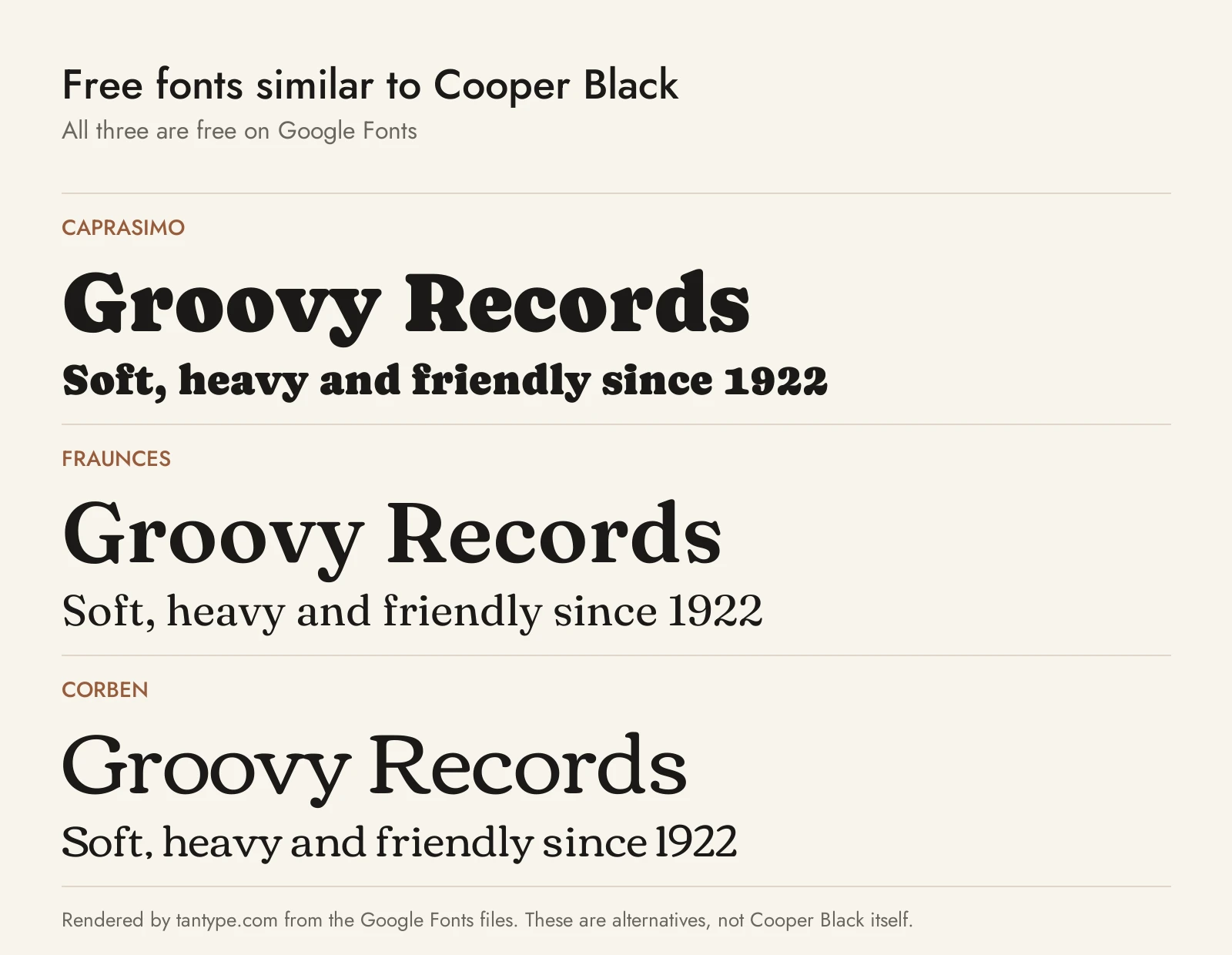
All three are on Google Fonts under the SIL Open Font License, so you can use them commercially, on websites and in Canva.
- Caprasimo: the closest match. Google Fonts says it provides “fallback for Cooper Black that minimizes text reflow” in Office documents, and it is based on Fraunces. It has one weight and no italic.
- Fraunces: a variable “Old Style” soft serif “inspired by” Windsor, Souvenir and “the Cooper Series”. Turn the Softness (SOFT) axis up and the weight to Black for a Cooper look, or use its true italics where Caprasimo has none. It is quirkier, with a “Wonky” axis.
- Corben: Vernon Adams’ display face “with ample curves”, listed by Fonts In Use among Cooper Black’s related typefaces. Its Bold is about as heavy but wider, with a bigger x-height and flatter serifs, so it looks less bouncy. It has Regular and Bold only.
Among fonts we cover, Windsor is Cooper Black’s older British cousin, Tomato Ketchup Retro Serif is a bold vintage display serif for packaging, and Orange Squash Pro is a chunky 70s-style serif for headlines.
Cooper Black font FAQ
Is Cooper Black a free font?
No. Every version from Linotype, URW, Bitstream and Adobe is commercial. It comes with Microsoft Office and Adobe Fonts plans, but those copies can’t be shared. The open-source Cooper* revival is free.
Is Cooper Black on Windows and Mac?
It comes with Office, not with Windows or macOS. Microsoft 365 on either system can download it as a cloud font.
Where can I get Cooper Black Italic?
Linotype’s Cooper Black Italic costs $25.99 on MyFonts, Adobe Fonts includes Cooper Std Black Italic, and Cooper* has a free Black Italic. The Office version has no italic.
What is Cooper Std?
Adobe’s digital Cooper Black (Black and Black Italic), now offered through Adobe Fonts.
Is Cooper Black in Canva?
We couldn’t confirm it in Canva’s built-in library. Canva Pro users can upload fonts they are licensed to upload, such as Cooper* or Caprasimo, but not the Office copy.
What is the closest free font to Cooper Black?
Caprasimo, built as a Cooper Black substitute. For a revival with italics and swashes, use Cooper*.
