
Mestiza Font Free Download
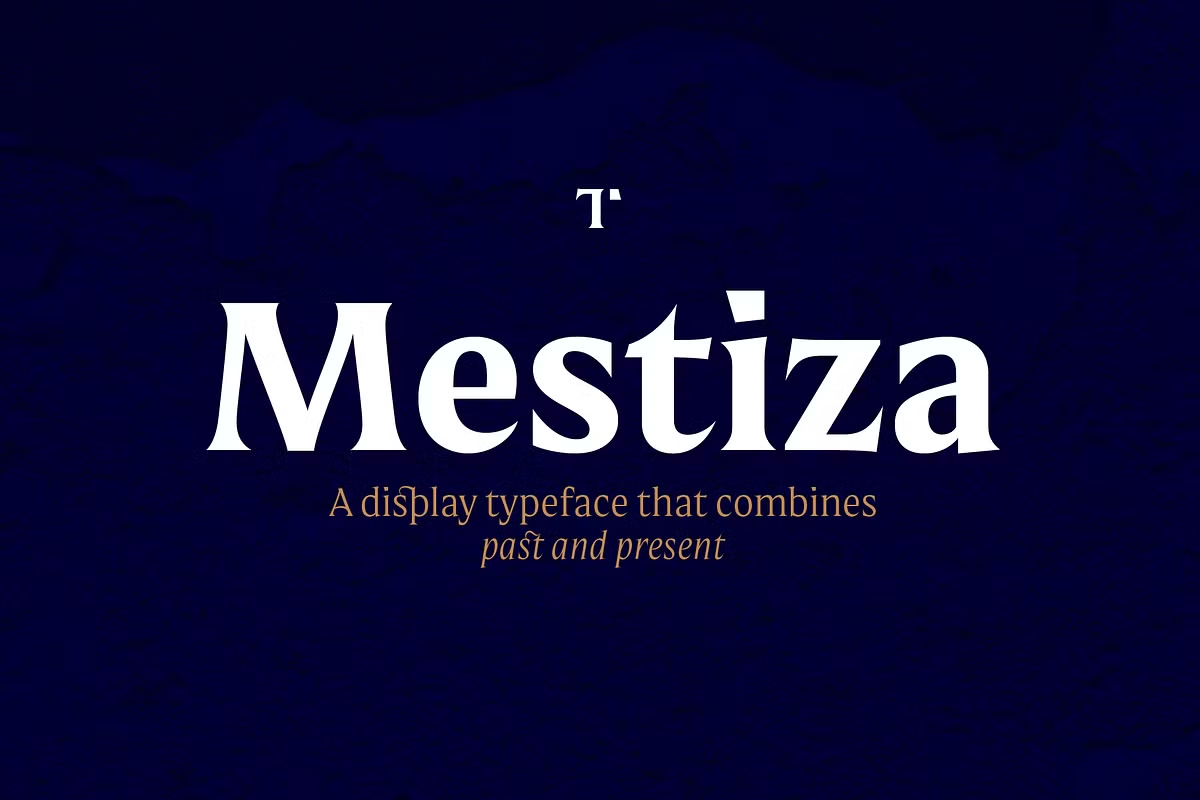
There is an official way to get a Mestiza free download, but it is a trial, not the full font. Lechuga Type, the Mexican foundry behind Mestiza, offers free test fonts for evaluation, while the complete 12-style family is a commercial font that cost $169 when we checked in October 2026.
Mestiza free download: what the official trial includes
The trial comes from the designer’s own Mestiza page, through a “Download test fonts” option. According to Lechuga Type’s trials page, the free files are deliberately limited:
- Formats: OTF and WOFF2
- Characters: A–Z, a–z, 0–9, space, comma, period and en dash only
- No OpenType features, so no small caps, ligatures or alternates
You may use the test fonts to choose a typeface and to show it: pitches, concept presentations, mockups, print proofs and internal reviews. You may not use them for paid client work, for company or agency projects, or in products for sale. Students may use them for non-commercial academic work and portfolios. You can also ask the foundry for a full trial to check the complete character set, but that is for evaluation only.
Free download: official Mestiza demo Evaluation and selection only: pitches, contests, concept presentations, mockups, print proofs, internal evaluation. Not
For anything you publish or sell, the Mestiza free download is not enough and you need a licence. Mestiza is sold on Creative Market, MyFonts and Fontspring, and it is in the Adobe Fonts library for Creative Cloud users.
Get Mestiza — official listing
Who made Mestiza, and what it is
Mestiza is designed by Antonio Mejía Lechuga and published by Lechuga Type, a studio in Querétaro, Mexico, according to its Adobe Fonts profile. The foundry describes it as a family that combines ancient roots and the handmade with a contemporary approach. Its stated traits are sharp terminals and high contrast, and Lechuga Type recommends it for headlines and branding.
The design notes on the designer’s Behance project give a release in April 2021 for the Roman styles, with an update in September 2021 that added the italics. MyFonts lists its debut there as 3 September 2021.
Lechuga Type’s website also lists two relatives, Mestiza Text and Mestiza Sans. They are separate families with their own licences.
The 12 styles and the OpenType extras
The family has six weights, each with an italic:
- ExtraLight and ExtraLight Italic
- Light and Light Italic
- Regular and Regular Italic
- Medium and Medium Italic
- Bold and Bold Italic
- Black and Black Italic
According to the foundry, the fonts include small caps, old-style figures, superiors, inferiors, contextual and discretionary ligatures, symbols and some alternates. Mestiza has more than 700 characters, and Lechuga Type says it supports 219 languages that use the Latin alphabet. The specifications table on the designer’s page gives a lower language count, so if you need one particular language, check it in the foundry’s tester before you buy.
How to reach small caps, ligatures and alternates
- Illustrator and InDesign: open the OpenType panel (Window > Type > OpenType in Illustrator) to turn on discretionary ligatures, old-style figures, contextual alternates and small caps. The Glyphs panel shows every alternate so you can click one in.
- Word: open the Font dialog, go to the Advanced tab, and set Ligatures to “All” and Number forms to “Old-style”. Word’s small caps button fakes small caps by shrinking capitals, so it does not use Mestiza’s real small caps.
- Canva and Cricut Design Space: neither has an OpenType features panel. You get the default letters, but the ligatures and small caps are hard or impossible to reach. Set those words in Illustrator or InDesign and import them as artwork.
Remember that the Mestiza free download, the test fonts, has no OpenType features at all, so you can only judge these extras with a licensed copy or a full trial from the foundry.
Prices across the official stores (October 2026)
- Creative Market: Desktop $169 per seat for the family. Webfont $169 (shown on sale at $143.65), E-pub $254 (sale $228.65), App $1,352 (sale $1,326.65). See the Mestiza listing.
- MyFonts: each style from $30, or all 12 for $169 on the MyFonts page.
- Fontspring: the 12-font family is listed from $169 on Fontspring.
- Adobe Fonts: available to activate inside a Creative Cloud plan. Adobe says its library is cleared for personal and commercial design work, websites, PDFs and video. App embedding and self-hosting are licensed separately through Lechuga Type or Type Network.
If you only need one weight for a logo, buying a single style on MyFonts is the cheapest official route. On Creative Market, the Desktop licence covers personal and commercial projects but not embedding the font in a website or app, according to its licence terms. This is a summary, not legal advice.
Uses and pairings
Lechuga Type pitches Mestiza at headlines and branding, and the six weights give you room. The heavier weights can carry a book cover title, a wine label or a magazine headline. The lighter weights and italics can set pull quotes, menus and invitations. Small caps and old-style figures help in editorial work, such as running heads, dates and short captions.
For contrast, pair it with a clean sans-serif. Lechuga Type’s own Mestiza Sans is the most natural partner. Free options include Inter or Work Sans for body text and interface labels.
Free alternatives to Mestiza on Google Fonts
- Playfair Display is a high-contrast serif with italics and weights from Regular to Black. It feels more classic and polished, with less of the handmade quality Lechuga Type describes.
- Bodoni Moda is a Didone with very thin hairlines and an optical size axis. It is cooler and more formal than Mestiza.
- Cormorant Garamond is a delicate, calligraphic display serif with light weights and italics. It suits elegant headlines but is less robust at small sizes.
All three use the SIL Open Font License, which allows free commercial use.
Installing Mestiza
On Windows, right-click the OTF files and choose Install. On a Mac, double-click each file and click Install Font in Font Book. Install all 12 styles so the italic and bold buttons in your apps link to the right fonts. If you use Adobe Fonts, activate the family from the Mestiza page and it syncs to your Creative Cloud apps.
Mestiza FAQ
Is Mestiza free?
No. The full family is commercial. The only official Mestiza free download is Lechuga Type’s set of test fonts, which has a basic character set and is for evaluation and presentations only.
Can I use the Mestiza trial fonts in a client project?
No. The trials page excludes paid client work, company or agency projects and products for sale. Buy a licence before the work is published.
Who designed Mestiza?
Antonio Mejía Lechuga designed Mestiza. It is published by his foundry, Lechuga Type, based in Querétaro, Mexico.
Does Mestiza have italics and small caps?
Yes. There are six weights, each with an italic. The foundry lists small caps, old-style figures, ligatures and alternates among the OpenType features.
Is Mestiza on Adobe Fonts?
Yes. Mestiza is in the Adobe Fonts library, so Creative Cloud subscribers can activate it. App embedding and self-hosting need a separate licence.

Tantype writes independent reviews of typefaces: what each font does well, where it falls short, what it suits, and where it is sold.