
Wotteris Siottin Font Free Download
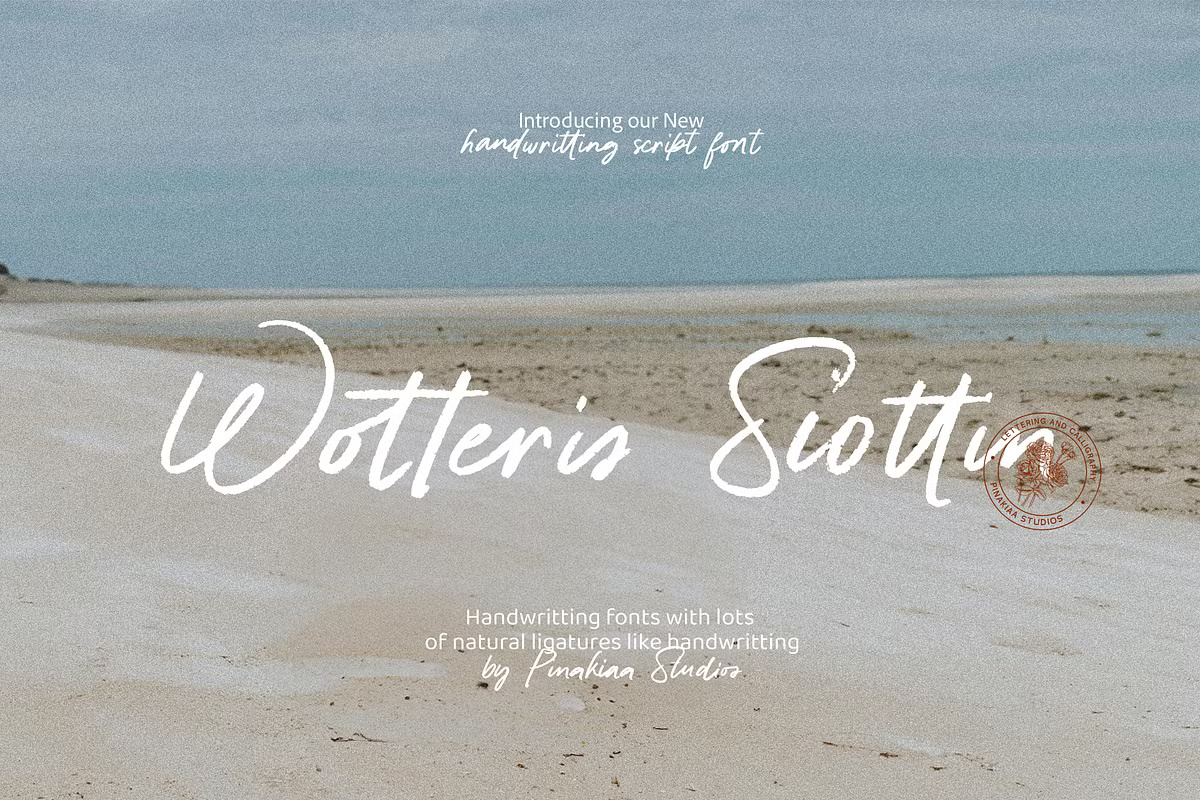
We looked for a Wotteris Siottin free download from the designer and did not find one: Pinakiaa Studios sells this handwriting font as a paid product, and no official demo or personal-use version was listed when we checked in October 2026. The single style costs $20 for a Desktop licence on Creative Market and starts at $20 on MyFonts.
Wotteris Siottin free download: what’s actually available
Wotteris Siottin is designed by Fina Fadhila Rosida and published by Pinakiaa Studios. The Creative Market listing went up on 26 September 2024, and the font reached MyFonts on 26 December 2024. Neither page offers a free trial file, and a DaFont search returned nothing.
Creative Market’s prices in October 2026:
- Desktop: $20 per seat.
- Webfont: $30, shown at $27.
- E-pub: $60, shown at $57.
- App: $160, shown at $157.
What you get is one style, Regular. The only free way to try it is the text preview box on the Creative Market and MyFonts pages: type your own names or menu items there to see them in the font before paying. Files labelled as a Wotteris Siottin free download on aggregator sites are not from Pinakiaa Studios and carry no licence.
Get Wotteris Siottin — official listing
tantype.com is an independent review site. We do not sell or host Wotteris Siottin.
In the designer’s words
The listing on both Creative Market and MyFonts is written in the first person by the designer:
- “Wotteris Siottin is a handwriting font that has many connected letters to make it more beautiful and easy to read, because it is like most people’s handwriting.”
- “I made it simple but didn’t reduce the aesthetic value of the handwritting.”
- “This font is suitable for use as a product logo, letters, invitation, food menus, or post card for your loved ones, etc”
Two claims stand out: many letters connect, and the aim is readability over flourish. That places it closer to everyday pen writing than to a formal wedding calligraphy script.
We have not examined the font files, so we cannot say which letters join or how many glyphs it has. MyFonts has a glyph tab for the font; check it, and type a sample into the preview box, before you buy.
Four official places to buy the Wotteris Siottin font
Pinakiaa Studios sells the same font through several shops. Licences differ, so choose by how you will use it.
- Creative Market: Desktop $20 per seat, plus Webfont, E-pub and App licences.
- MyFonts: from $20. Licence types include Desktop (by number of users), Webfont, App, Digital Ad/Email and Electronic Doc, plus annual Company Desktop tiers.
- Pinakiaa Studios on Gumroad: the studio’s own shop lists “Wotteris Siottin – Handwriting”.
- YouWorkForThem: also carries the font.
Personal and commercial use
There is no free personal-use tier, so even a birthday card set in Wotteris Siottin needs a licence. Once you have one, the Desktop licence covers most print and image work.
According to Creative Market’s font licence terms, Desktop allows unlimited commercial and personal projects, including physical products, packaging, social media and paid ads. Web, game and print-on-demand use is allowed only as flattened images, and you need one seat per person who installs the font. On MyFonts, Desktop licences are also priced by the number of users.
For live text on a website, buy a Webfont licence. This is a general summary, not legal advice.
Using a connected handwriting font well
The designer’s suggested uses (product logos, invitations, food menus, postcards and letters) all suit short to medium text. A few general rules help with any connected script:
- Do not add letter spacing. Extra tracking pulls joined letters apart. Leave it at 0 in Canva, Word and Cricut Design Space.
- Avoid all capitals. Handwriting fonts are usually drawn for mixed case, and long runs of capitals read poorly.
- Give it size. Use it for names, headings and short lines, and set the details in a plain font.
For pairing, a simple sans such as Nunito Sans keeps menus and invitations easy to read. A light serif like Cormorant Garamond suits wedding stationery.
How to install Wotteris Siottin
- Windows: unzip the download, right-click the font file and choose Install.
- Mac: unzip, double-click the font file and click Install in Font Book.
- Cricut Design Space: it reads fonts installed on your computer, so install first and restart Design Space.
Free alternatives to Wotteris Siottin
If a Wotteris Siottin free download was the goal, these Google Fonts are a legal answer. They are free for personal and commercial use under the SIL Open Font License. None is a copy, and none is a connected script, so each trades the joined look for a free licence.
- Nanum Pen Script by Sandoll is a quick, narrow pen handwriting that covers Korean as well as Latin. It feels the most casual of the three.
- Patrick Hand by Patrick Wagesreiter is neat, unjoined print handwriting. It is the most readable option for menus and longer notes.
- Shadows Into Light by Kimberly Geswein is a thin, airy marker-style hand that suits casual invitations and notes.
Wotteris Siottin FAQ
Is Wotteris Siottin free?
No. Pinakiaa Studios sells it from $20, and we found no official free or demo version in October 2026.
Who designed Wotteris Siottin?
Fina Fadhila Rosida designed it for Pinakiaa Studios. MyFonts credits her as the designer and Pinakiaa Studios as the foundry.
How many styles does Wotteris Siottin have?
One. MyFonts lists a single Regular style.
Can I use Wotteris Siottin for a product logo?
The designer suggests product logos as a use, and Creative Market’s Desktop licence covers logo design. Buy the licence before you register or print the logo.
Why does my Wotteris Siottin text look broken in Canva?
Check the letter spacing first. Any spacing above 0 can separate connected letters in a handwriting font.

Tantype writes independent reviews of typefaces: what each font does well, where it falls short, what it suits, and where it is sold.