
California Palms Fonts & Graphics Free Download
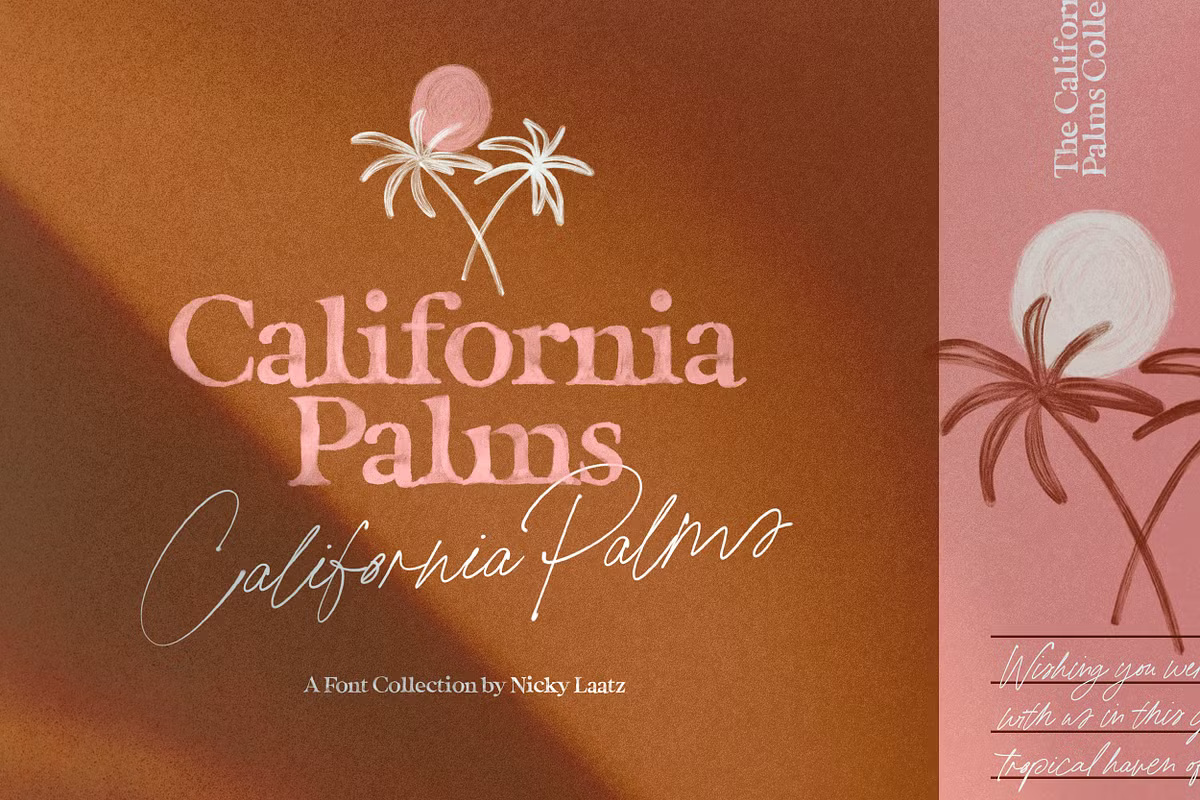
Looking for a California Palms Fonts & Graphics free download? Nicky Laatz doesn’t offer an official free or demo version of this pack. It is a commercial bundle of a signature script, textured serif fonts and summer doodles, sold through Creative Market and the designer’s own shop.
California Palms Fonts & Graphics free download: is there an official one?
We checked the Creative Market listing and Nicky Laatz’s own product page in October 2026 and found no demo, trial file or personal-use version. The only way to try it before buying is the live text preview on the designer’s page. Sites that hand out the full pack for free are not authorised distributors, and their files carry no licence.
According to the listings, a licence gets you:
- California Palms Script as a regular OpenType font and an SVG colour font
- Marker Serif (regular and SVG) and the SVG-only Watercolour Serif
- 65 summer doodles as a layered PSD, individual PNGs, PDF vectors and an Illustrator file
- A help PDF that answers common questions
Creative Market’s Desktop licence was $30 per seat when we checked. Nicky Laatz’s shop lists a Standard Desktop EULA at $32, shown on sale for $27.20, alongside web, digital-ad and e-pub licences. The designer’s shop notes it can’t sell to every country and points those buyers to Creative Market or MyFonts.
Get California Palms Fonts & Graphics — official listing
Free download: California Palms Fonts & Graphics (Script), personal use One style for personal use, shared with the designer’s permission. Commercial use needs a licence.
California Palms Fonts & Graphics specimen and verified specs
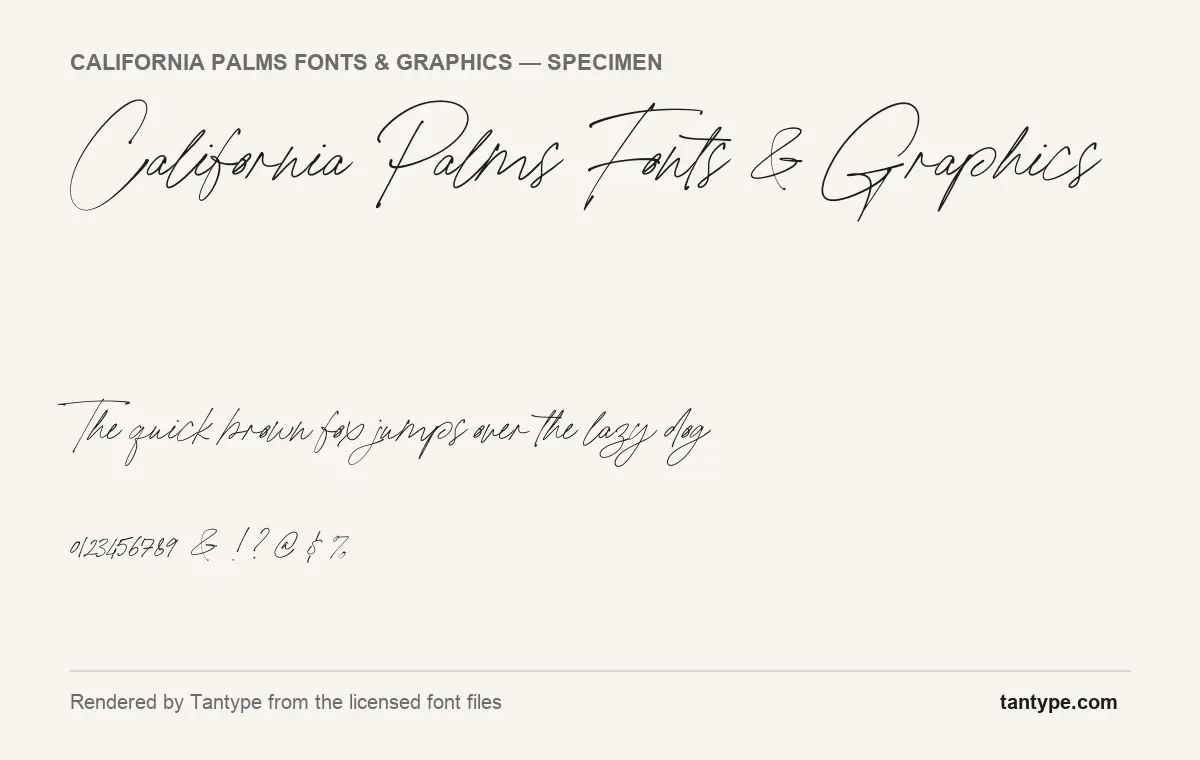
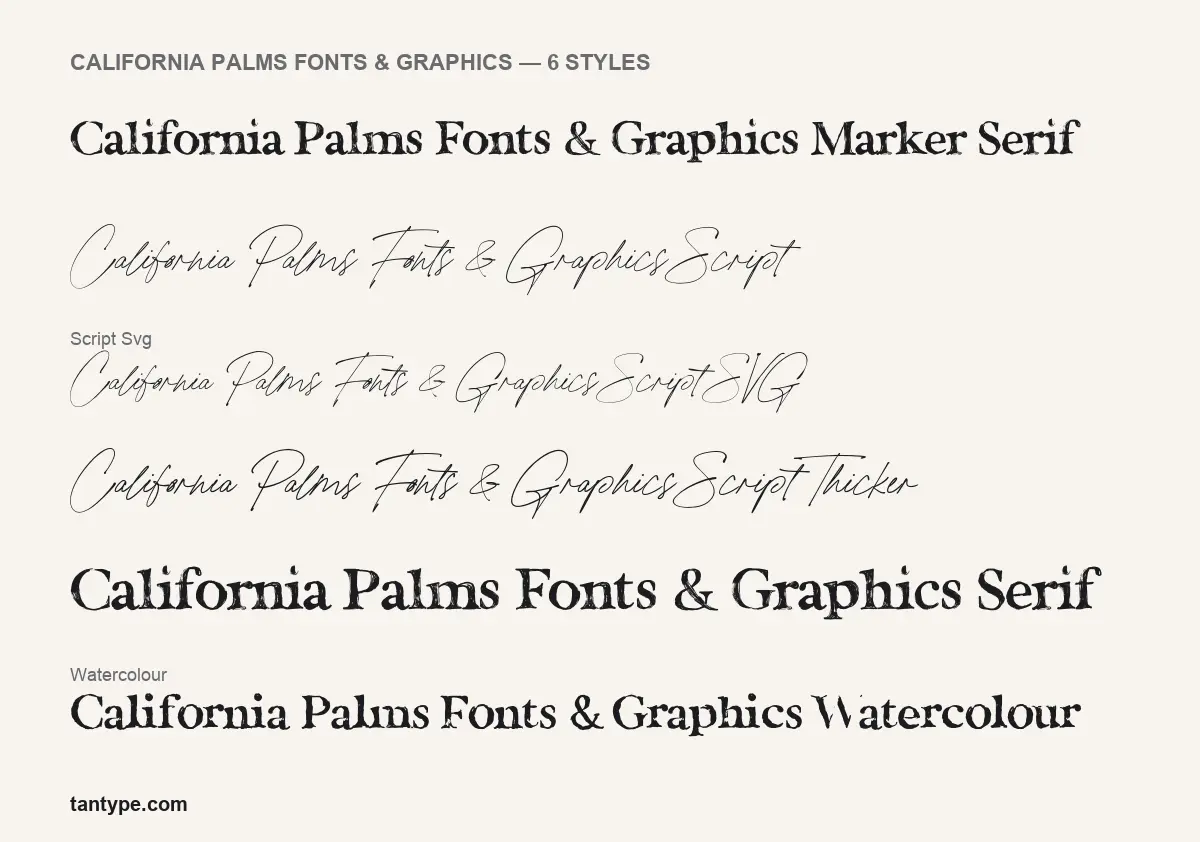
- Styles: 6 (Marker Serif, Script, Script SVG, Script Thicker, Serif, Watercolour)
- File formats: OTF
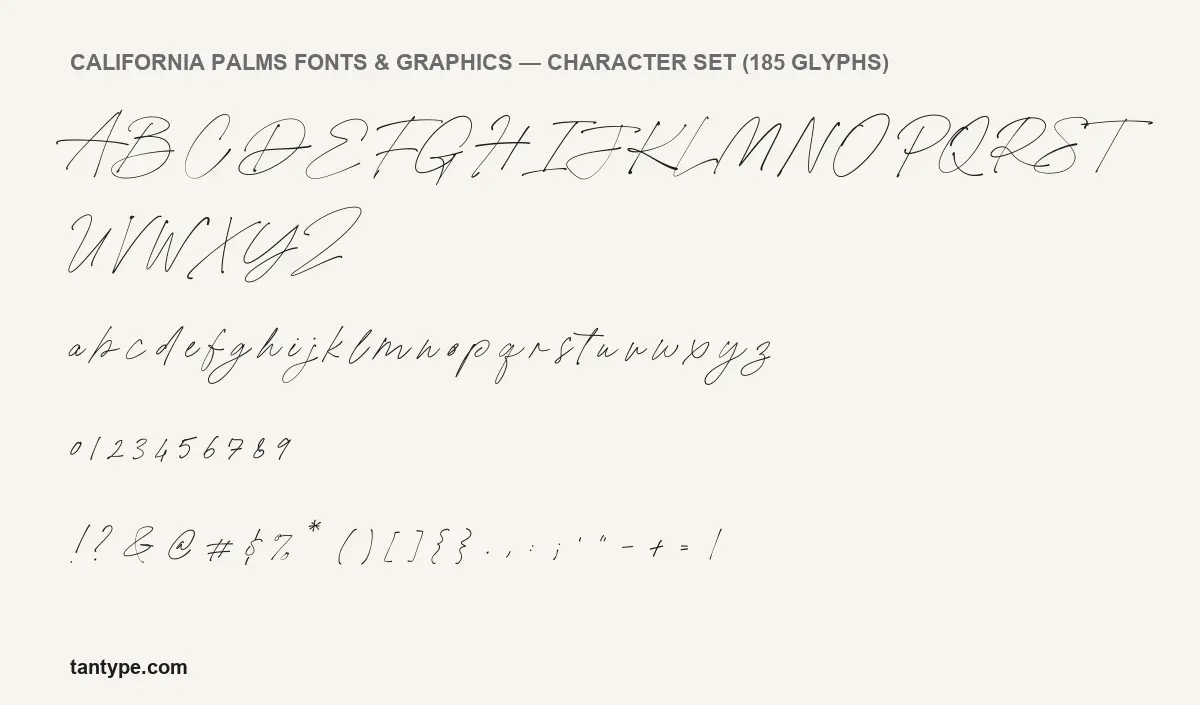
- Glyphs: 185
- Language support: Basic Latin (English)
- OpenType features: standard ligatures
- PUA-encoded extras: 72 glyphs (usable in Canva and Cricut)
- Designer: Nicky Laatz
Checked by Tantype from the licensed font files.
Design and character
The script is the star. In the specimens rendered from the licensed font files, it is a fine, monoline pen hand that looks written quickly with a fineliner: thin strokes with almost no contrast, a low x-height, long sweeping t-bars, and capitals far taller than the lowercase. Letters connect loosely and the baseline wanders a little, which is what makes it read like a real signature. The numerals are short, closer to lowercase height than to the capitals, so they sit quietly in a date or a caption.
The serif styles are a deliberate contrast. Serif and Marker Serif are sturdy old-style letters with bracketed serifs and rough, inky edges, as if stamped with worn type or drawn with a marker. Watercolour appears to share those letterforms; its colour texture is stored as SVG artwork, so it only shows in SVG-capable apps, and our styles image renders it in plain black.
The designer pitches the set at summer events, beach-party posters, invitations and stationery. The pairing inside the pack does the work for you: the heavy serif carries the headline, the script adds a handwritten note, and the doodles fill the corners.
What’s in the California Palms Fonts & Graphics package
- Six font styles in the files: Script, Script SVG, Script Thicker, Serif, Marker Serif and Watercolour
- OTF format throughout (the SVG styles are OpenType-SVG fonts)
- 185 glyphs in the main Script style: A to Z, a to z, numerals, punctuation and ligatures
- Version 1.003 in the font files
- 65 summer doodles in PSD, PNG, PDF and AI, according to Creative Market
Creative Market dates the product to July 2019, and the designer’s page says the styles aren’t sold separately. On the SVG fonts, the listing says they need Photoshop CC 2017 or Illustrator CC 2018 or newer, that they are bitmap-based and look best with capitals up to about two inches tall, and that they can’t be used as webfonts. A vector version is included for bigger sizes.
Language support and OpenType features
This is an English-language font. The files cover Basic Latin, and the designer’s page lists English only. Creative Market adds that some accents are included, but don’t count on full coverage for French, German or Spanish names.
The script’s main OpenType feature is standard ligatures. The listing says there are 74 automatic ligatures, there to make typed text look more like real handwriting. In Adobe apps, Affinity and most modern design tools they switch on by themselves.
Canva is the exception: the listing says Canva doesn’t read these OpenType features, so ligatures won’t appear. The workaround is the Private Use Area. The script has 72 PUA glyphs (the designer’s page describes it as “PUA encoded”). Open Character Map on Windows, or the Character Viewer on a Mac (Control-Command-Space, then add the Unicode table under Customise List), find the glyphs in the Private Use Area, copy one and paste it into Canva or Cricut Design Space. Uploading custom fonts to Canva needs a paid Canva plan.
Best uses and font pairings
Use the script for names, short phrases and handwritten-style notes on invitations, labels and social posts. Its strokes are hairline-thin, so give it size and a calm background, and switch to Script Thicker when it has to survive smaller print or a busier photo. Use Serif or Marker Serif for headlines and the doodles as spot illustrations.
- Lora or EB Garamond for clean body text next to the textured serif
- Montserrat or Raleway in capitals for event details
- Work Sans for website text, since the SVG fonts can’t be used on the web
Licensing: personal vs commercial use
There is no official California Palms Fonts & Graphics free download, so every use, personal or commercial, needs a paid licence. Creative Market’s Desktop licence is sold per seat and covers uses such as logos, print, merchandise and images for websites and social media. Websites that embed the font need a Webfont licence, e-books need E-pub, and apps need the App licence. On the designer’s own shop, the product page says the standard desktop licence is the one needed for merchandise, with separate licences for web fonts, digital ads and e-pub. This is general guidance, not legal advice; check the licence that comes with your download.
How to install California Palms
- Download California Palms Fonts & Graphics from your purchase page, unzip it and open the fonts folder.
- Windows: right-click each OTF and choose Install.
- Mac: double-click each OTF and click Install Font.
- Use Photoshop CC 2017+ or Illustrator CC 2018+ to see the SVG fonts’ texture.
Free alternatives to California Palms Fonts & Graphics
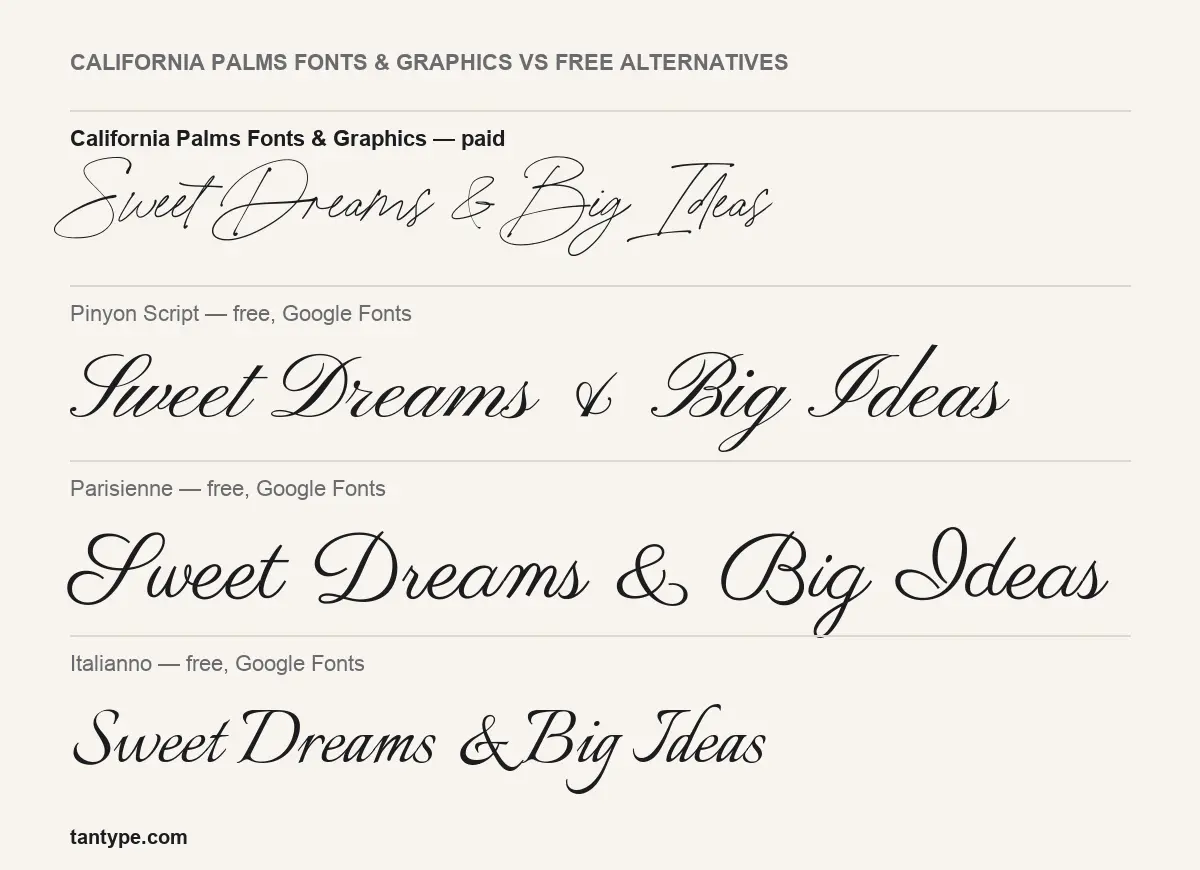
If you came looking for a California Palms Fonts & Graphics free download because the budget is zero, the three free Google Fonts in our comparison image are the closest legal options. All are formal scripts, which is the main difference: none has the loose signature feel of California Palms Script.
- Pinyon Script is a copperplate-style script with strong thick-thin contrast and steady joins. More formal, and easier to read at small sizes.
- Parisienne is rounder and heavier, with connected letters and a casual-formal tone.
- Italianno is the lightest and narrowest of the three, with a calligraphic slant. Nearest in weight, but still more polished.
None of them replaces the textured serifs or the doodles, which are half of what the pack offers.
We included California Palms Fonts & Graphics in our roundup of the best tropical fonts, alongside other picks in the same style.
California Palms Fonts & Graphics FAQ
Is California Palms Fonts & Graphics free?
No. There’s no official free or demo version. It’s a paid pack sold on Creative Market and the designer’s shop.
Can I use it for commercial projects?
Yes, with a licence. Creative Market’s Desktop licence covers common commercial uses such as logos, print and merchandise; web, e-book and app use need their own licences.
Does it work in Canva or Cricut?
Use the regular OTF fonts, not the SVG versions. Automatic ligatures don’t work in Canva, per the listing, but the 72 PUA glyphs can be pasted in from a character map.
Who designed the California Palms Fonts & Graphics font pack?
Nicky Laatz, who is named in the font files and sells the pack through her own shop and Creative Market.
Can I buy just the script?
No. The designer’s page says the individual styles aren’t sold separately.

Tantype writes independent reviews of typefaces: what each font does well, where it falls short, what it suits, and where it is sold.